 RinseRate Tools
Disclosure: Some links on this page are affiliate links. If you buy through them, RinseRate Tools may earn a commission at no extra cost to you. We only recommend tools we’ve researched, and our ranking isn’t paid. Full disclosure.
Car Wash and Detailing Job Costing: Track Cost per Car and Monthly Profit
Revenue is easy to see. Profit isn’t. Plenty of wash and detail businesses have a great month on the sales report and less money in the bank than last month. Job costing closes that gap. It answers two questions every owner should be able to answer in a minute: what did each job cost me, and what did I keep this month?
The two levels of tracking
Job level: cost per car
For each job, record the price charged, tips, labor hours, product used and miles driven (if mobile). From that you get job cost and job profit. Over a few weeks, patterns show up: which packages make the most per hour, which neighborhoods eat drive time, which add-ons are actually worth offering.
Month level: the profit and loss
Add up all job revenue, subtract job costs, then subtract monthly expenses that aren’t tied to one job: insurance, rent or water, software, marketing, equipment payments, phone. What’s left is net profit. Divide by the number of jobs to get average profit per job, which is the single most useful number for planning.
What to count as a job cost
- Labor: hours on the job times the wage plus payroll costs. If you’re the owner and do the work, still count your time at a set rate so you can see if the job pays you fairly.
- Product: a per-job estimate by package is fine. You don’t need to weigh soap; just update the estimate when product prices change.
- Travel: miles times a per-mile cost for mobile work.
- Card fees: processing fees are a real cost on every card job, usually a few percent.
- Water and utilities: for fixed locations, many owners split monthly utilities by car count.
Expense categories that keep things clean
Keep the list short so you’ll actually use it: Supplies and chemicals, Equipment and repairs, Fuel and vehicle, Insurance, Rent and utilities, Software and phone, Marketing, Fees (bank and card), Payroll, Other. Use the same categories every month so months are comparable.
A simple monthly routine
- Daily (2 minutes): log each job: date, customer or package, price, tips, hours, product estimate, miles.
- Weekly (10 minutes): enter receipts and bank or card expenses by category.
- Monthly (20 minutes): review the summary: jobs, revenue, job costs, expenses, net profit, average profit per job. Compare to last month.
- Quarterly: revisit your prices. If average profit per job is shrinking, the cause is usually rising product costs, longer job times or more drive time.
Reading the numbers
Revenue up, profit flat: costs are rising with volume. Check labor hours per job and discounts.
Profit per job good, monthly profit poor: not enough volume to cover fixed expenses. That’s a marketing or capacity problem, not a pricing one.
One package always low: raise its price, shorten its scope, or stop offering it.
Spreadsheet or accounting software?
A spreadsheet is enough for job costing and a management P&L, especially for a solo operator. For taxes, bank reconciliation and a bookkeeper or CPA, accounting software is the standard. QuickBooks lists a free plan ($0/mo, 1 user, income and expense tracking, 2 invoices a month, 1 connected bank) and paid plans from Simple Start at $38/mo list price (with 3-month promotional discounts shown) up to Advanced at $340/mo (checked Oct 2026). Project profitability tracking is listed from the Plus plan ($140/mo list) (checked Oct 2026). Many owners keep a job-costing spreadsheet for daily decisions and QuickBooks for the books.
If you use field service software, both Jobber (Connect plan and up) and Housecall Pro (Essentials and up) list QuickBooks Online sync (checked Oct 2026).
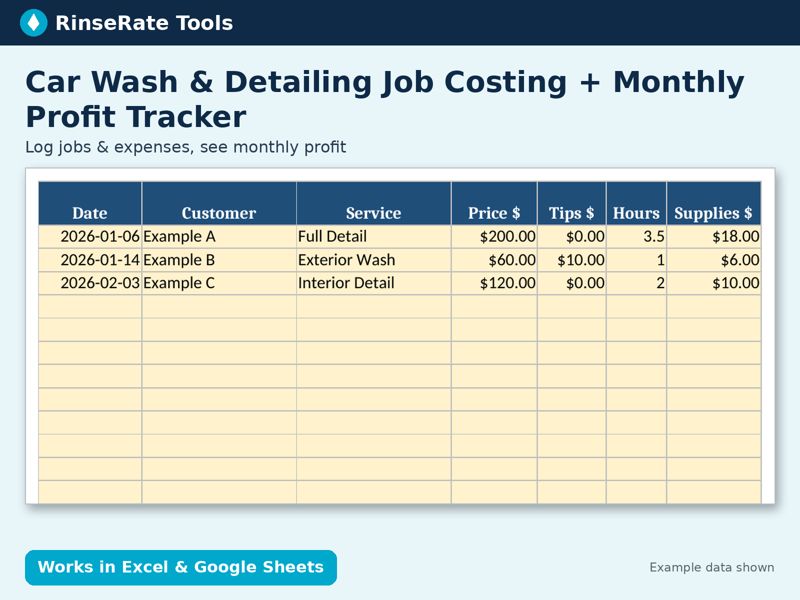
Template: Car Wash & Detailing Job Costing + Monthly Profit Tracker
Log each job (price, tips, hours, supplies, miles) and every expense. The Monthly Summary rolls up revenue, job costs, expenses, net profit and average profit per job for all 12 months.
Excel + Google Sheets. Regular price $17; check the listing for current price. Example data is labeled; replace it with your own numbers.
Get the template on Payhip